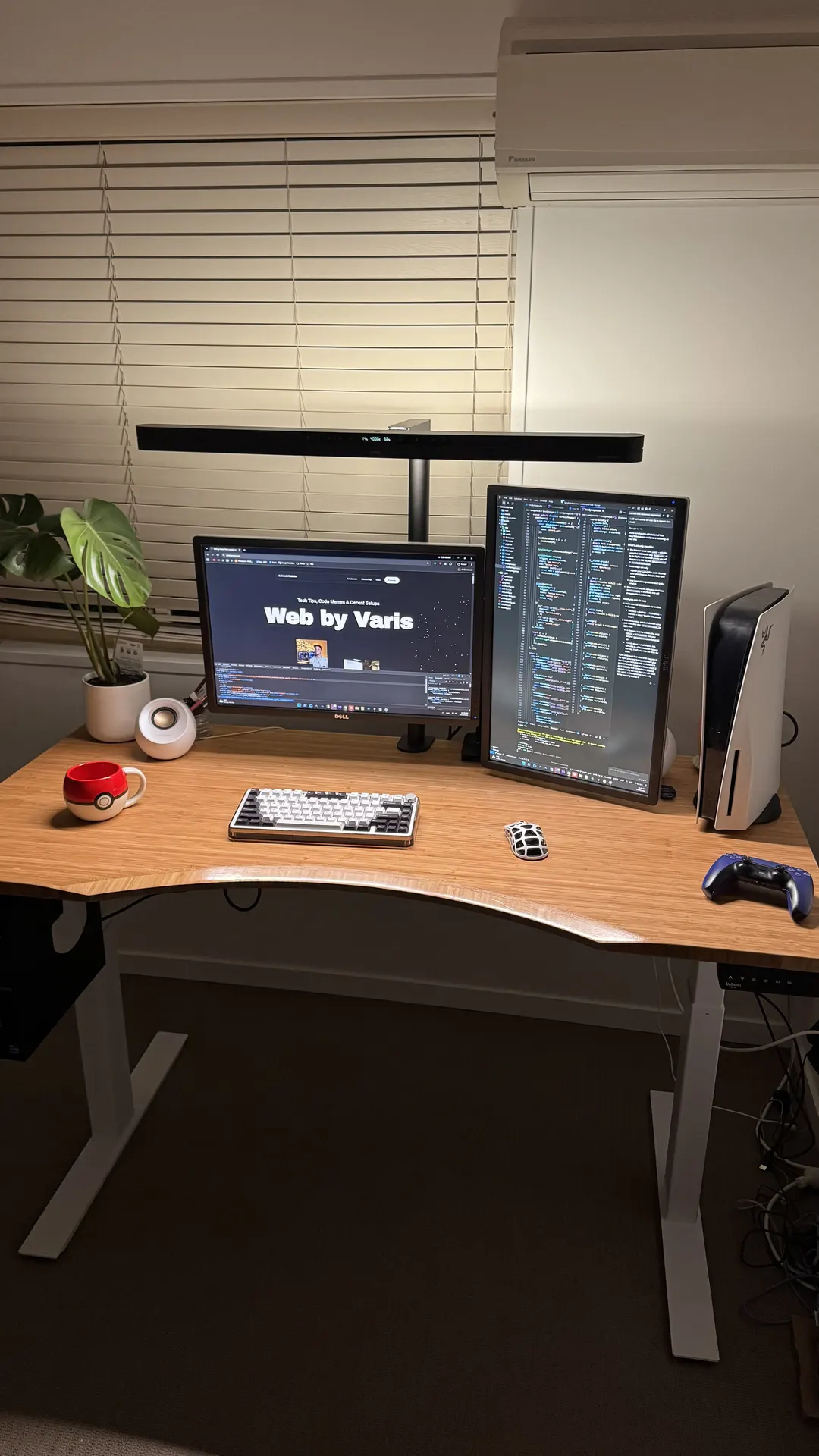
Is This the Ultimate Monitor Light for Developers?
As a software engineer and tech content creator, I spend countless hours in front of my monitors, whether I'm programming, building websites, experimenting with AI tools, or editing videos.
And if there's one thing I've learned, it's that a great desk setup isn't just about powerful hardware. Lighting plays a huge role in creating a comfortable, productive workspace.
But here's the question: Is a dual-monitor setup really worth it for developers and vibe coders?
I recently travelled to Sydney, Australia, after being invited by BenQ to experience their latest monitor lighting innovation, the BenQ ScreenBar Max.
And it might be exactly what dual-monitor users have been waiting for.
Why Developers Need Better Desk Lighting
If you're a programmer, software engineer, or content creator, you probably understand the struggle of working with multiple screens.
Having two monitors can make a huge difference to your workflow. You can write code on one screen while keeping documentation, browser previews, debugging tools, or AI coding assistants open on the other.
However, there's one problem that often gets overlooked: uneven desk lighting.
Traditional monitor light bars are generally designed for a single display. When you expand to a dual-monitor setup, one light bar might not provide enough coverage across your entire workspace.
This can leave parts of your desk poorly illuminated, especially when working late at night.
And let's be real, nobody wants bad lighting ruining their coding vibes.
My Trip to Sydney to Experience the BenQ ScreenBar Max
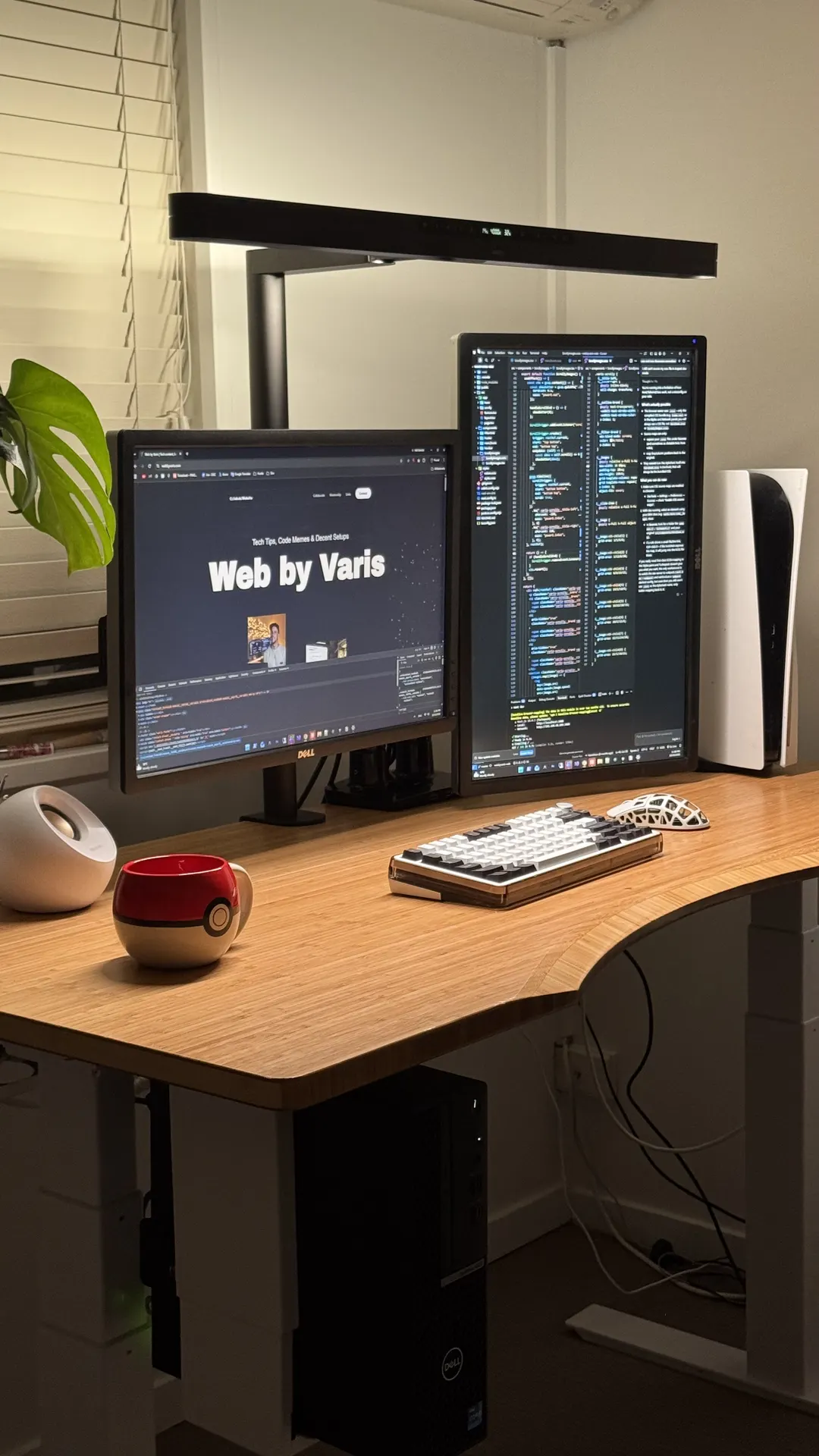
From my home setup to BenQ's product showcase in Sydney, Australia.
As a tech content creator behind WebbyVaris, I regularly explore technology that can improve productivity, creativity, and everyday workflows.
So when BenQ invited me to Sydney to experience its latest monitor lighting technology, I packed my camera gear and headed over to see what they'd been working on.
The highlight of the event was the introduction of the BenQ ScreenBar Max, a monitor light designed with larger and multi-monitor workspaces in mind.
And my first impression?
This thing is massive compared to a traditional monitor light bar!
But there's a good reason for its size.
BenQ ScreenBar Max: Built for Dual-Monitor Setups

The ScreenBar Max is designed to provide wider lighting coverage across your workspace without taking up valuable desk space.
Unlike traditional desk lamps, which can occupy space beside your keyboard or monitors, the ScreenBar Max sits above your display and directs light towards your desk.
Here are the features that stood out to me.
1. Wider Lighting Coverage for Multiple Monitors
One of the biggest advantages of the BenQ ScreenBar Max is its extended lighting coverage.
For developers running dual monitors, ultrawide displays, or larger desk setups, this is particularly useful.
Instead of having one brightly illuminated area and another left in shadow, you can create a more consistent lighting environment across your workspace.
2. Reduced Screen Glare
Nobody enjoys distracting reflections while programming or gaming.
The ScreenBar Max uses an optical design intended to direct light onto your desk rather than directly onto your monitor.
This helps minimise distracting screen reflections while keeping your keyboard, mouse, and workspace illuminated.
For programmers spending hours reading code, this is a welcome improvement.
3. Compatible With Portrait Monitor Setups
One feature I found particularly interesting was the ability to accommodate a monitor positioned vertically beneath the light bar.
Portrait monitors are popular among software engineers because they allow more lines of code, documentation, or terminal output to be displayed at once.
Having a lighting solution that works with this kind of configuration is a great addition for developers who enjoy customising their workspace.
4. Adjustable Brightness and Colour Temperature
Everyone has different lighting preferences.
Some developers prefer bright, cooler lighting during the day, while others enjoy warmer lighting for late-night coding sessions.
With the BenQ ScreenBar Max, you can adjust the brightness and colour temperature to suit your environment.
Personally, I love warmer lighting when I'm working in the evening. It creates a much cosier atmosphere, especially when combined with ambient RGB lighting around my desk.
5. Automatic Lighting Controls
Another useful feature is the automatic lighting functionality.
Rather than constantly adjusting your lighting manually, the ScreenBar Max offers convenient controls designed to make managing your workspace lighting easier.
It's a small quality-of-life improvement, but those little details matter when you're spending hours at your desk.
6. Backlighting for a More Comfortable Workspace
Working in a completely dark room with bright monitors isn't always the most comfortable experience.
The ScreenBar Max includes backlighting that can help create a more balanced lighting environment around your screens.
That light from the back is healthier for your eyes. A bright screen against a dark wall behind the monitors is a hard contrast to stare at for hours. Filling in the background behind the displays brings the two closer together, so your eyes are not constantly jumping between a lit screen and a black surround.
For late-night programming, video editing, gaming, or general computer work, this can make your setup feel more comfortable.
And of course, it looks great too!
BenQ's History of Monitor Lighting Innovation
One thing I found interesting during the Sydney event was learning more about BenQ's history with monitor lighting.
BenQ introduced its original ScreenBar concept in 2017, helping establish the monitor light bar as a popular desk accessory.
Since then, the ScreenBar range has evolved to support different monitor sizes, workspace configurations, and lighting preferences.
The ScreenBar Max continues that evolution by focusing on wider desk coverage and flexible monitor arrangements.
Is the BenQ ScreenBar Max Worth It for Programmers?
If you're a developer using a dual-monitor setup, lighting is definitely something worth considering.
As someone who works with software development, web technologies, AI tools, and content creation, I know how important it is to have a workspace that feels comfortable and organised.
Of course, a monitor lamp won't magically make you a better programmer.
But a comfortable workspace with good lighting can make those long coding sessions more enjoyable.
Final Thoughts: Better Lighting, Better Coding Vibes
So, back to the original question.
Is a dual-monitor setup worth it for vibe coders and developers?
For my workflow, absolutely!
Having multiple monitors makes it easier to manage programming tasks, documentation, AI tools, and creative projects.
And with a lighting solution like the BenQ ScreenBar Max, you can take that setup one step further.
After experiencing it in Sydney, I was particularly impressed by its wide lighting coverage, thoughtful design, and compatibility with different monitor configurations.
Because sometimes, improving your productivity isn't about buying another powerful computer.
It's about making the workspace you already have better.